From the Output Stream page
of the DT7816 web server, click Analog
to set up the options for the analog output channel on the DT7816
module.
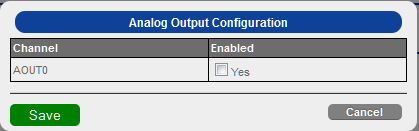
The following options appear:
Under the Enabled column, select Yes if you want to output data from the analog output channel in the output stream. If this box is unchecked, data is not output from the analog output channel.
Ensure that you wire signals appropriately for analog output operations.
Click Save to save the configuration.
Refer to the DT7816 User's Manual for more information on analog output operations.